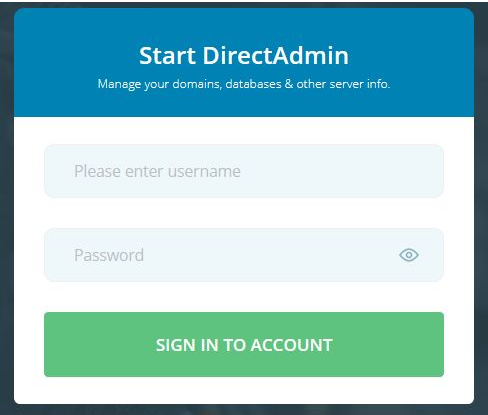
1) Login into your User panel.
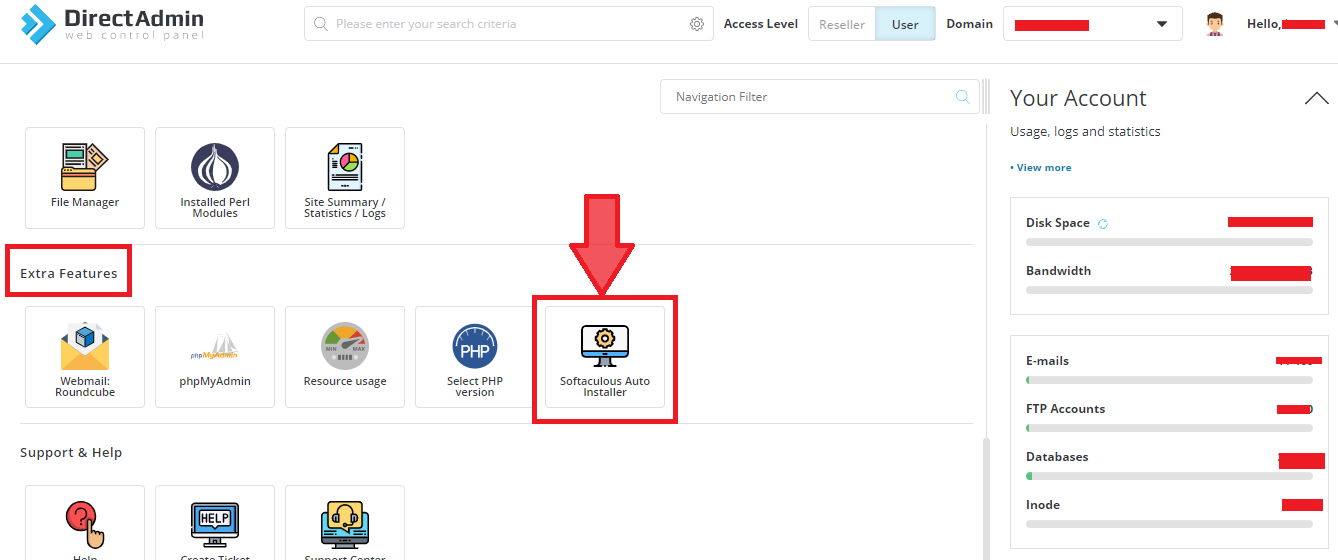
2) Select "Softaculous Auto Installer" in "Extra Features" section.
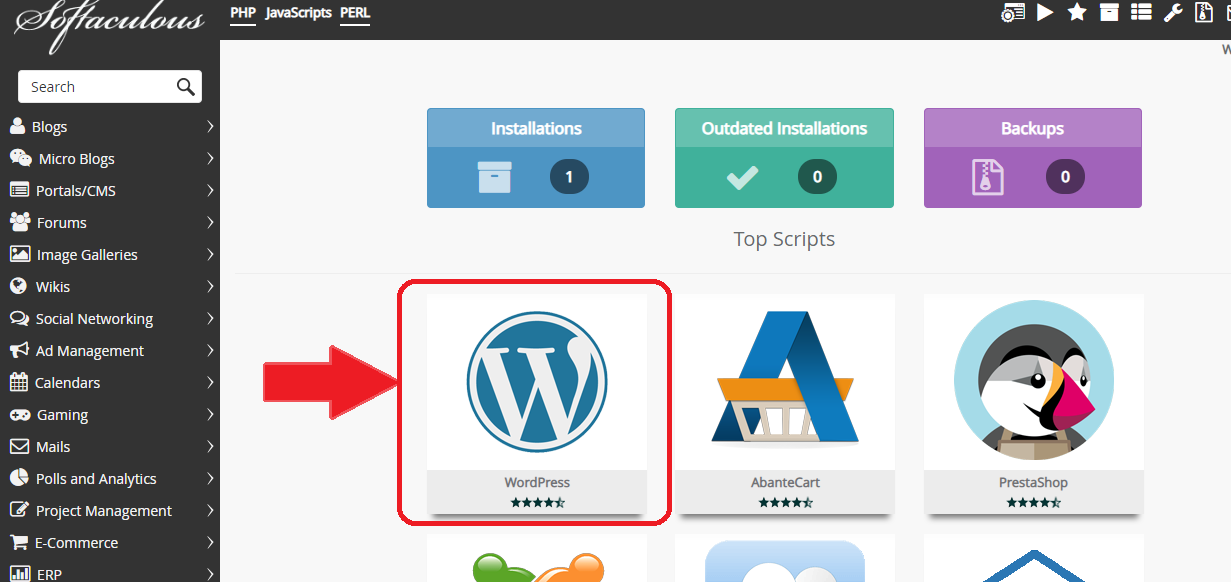
3) Click on "WordPress".
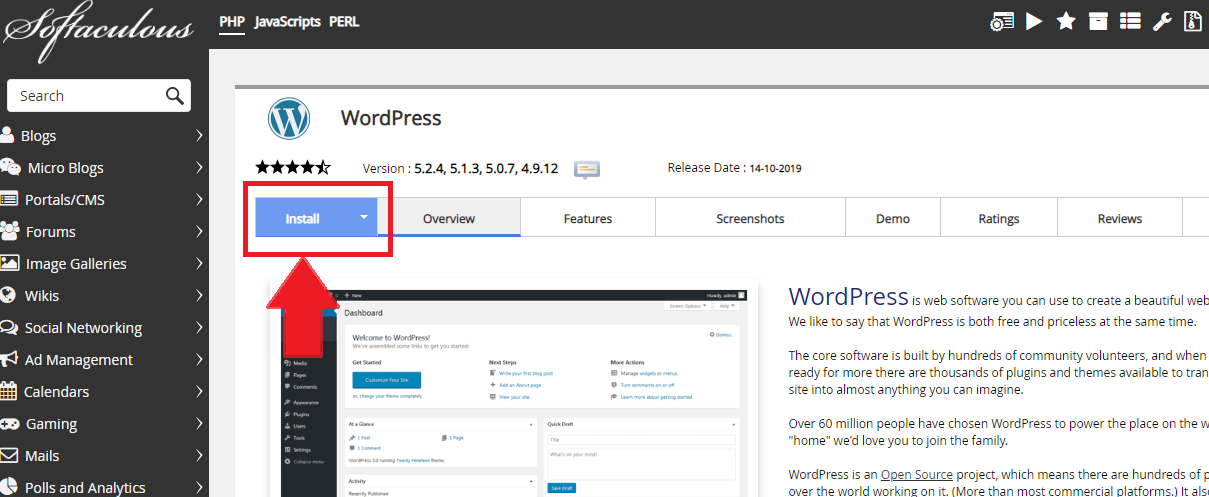
4) Click on "Install".
5) Fill the details in the form such as version, URL, admin username and password.
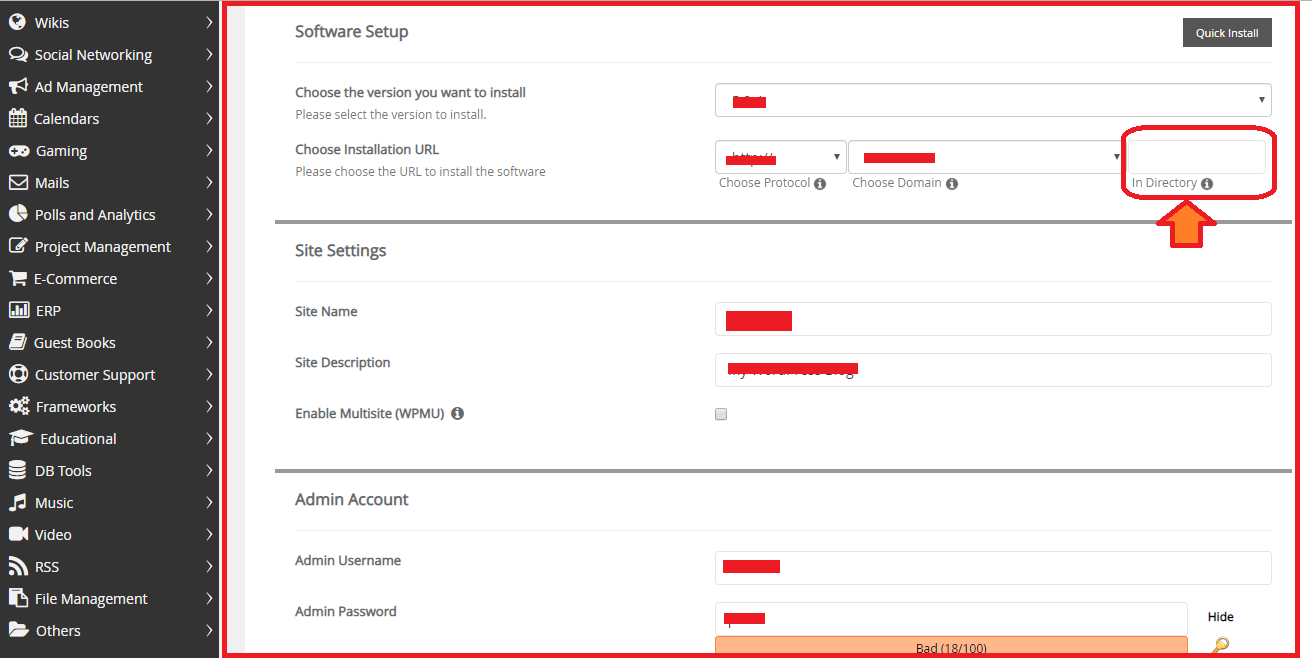
NOTE:- Don't select any directory in the URl. Leave the section blank.
6) Click on "Install".
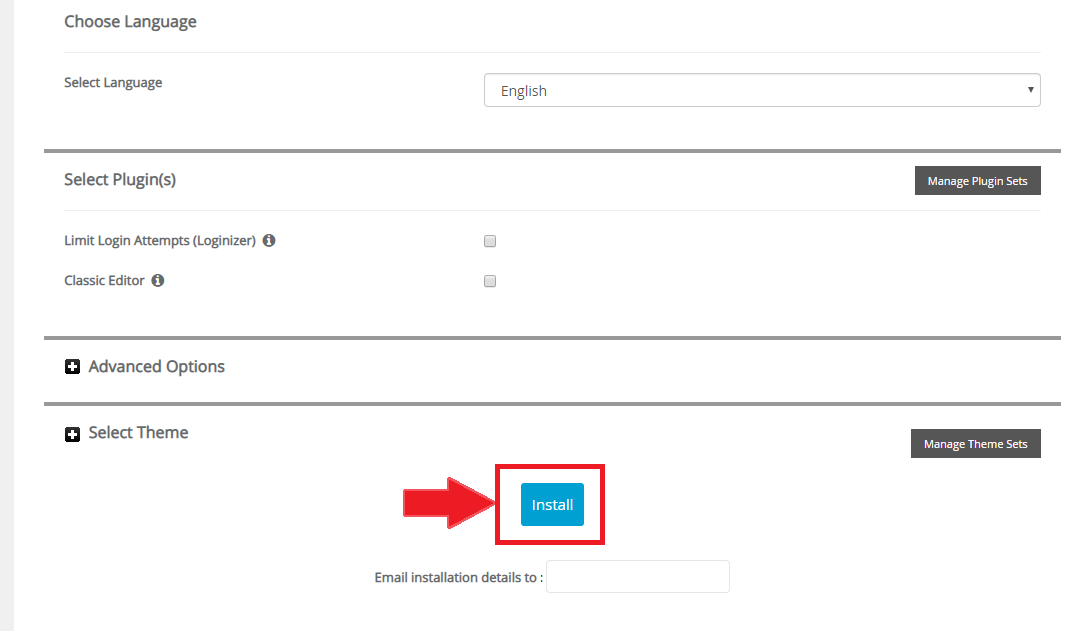
7) Your WordPress is successfully installed.
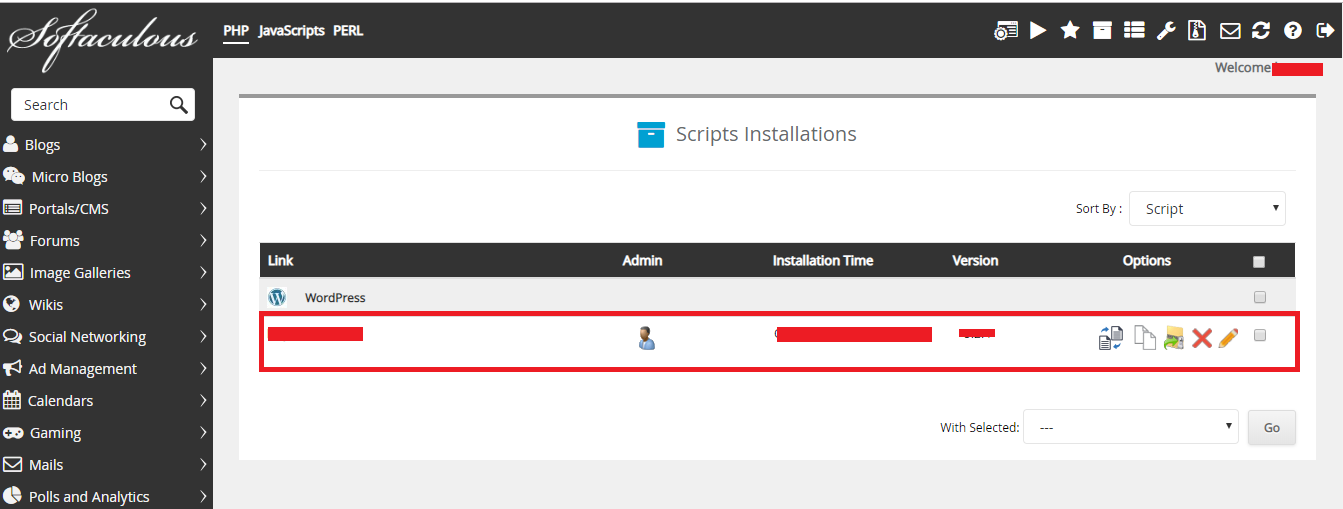
2) Select "Softaculous Auto Installer" in "Extra Features" section.
3) Click on "WordPress".
4) Click on "Install".
5) Fill the details in the form such as version, URL, admin username and password.
NOTE:- Don't select any directory in the URl. Leave the section blank.
6) Click on "Install".
7) Your WordPress is successfully installed.
Was this answer helpful?
Also Read
-
How to change password of email accounts in Directadmin panel Open or Close
1) Login into your User panel.2) In "E-mail Manager", section click on "E-mail Accounts".3) Click... Read More
-
Switch PHP version on Shared Server Open or Close
1) Login in DirectAdmin Panel.2) In "Extra Features" section, click on "Select PHP Version ".3)... Read More
-
Add Domain in DirectAdmin user Open or Close
1. Login in your DirectAdmin User.2. In "Account Manager" section click on "Domain Setup"3. Now,... Read More
-
How to login in phpmyadmin in Direct Admin Open or Close
1. Login in your User Panel2. In "Account Manager" Section, Click on MySQL Managment.3. Now, the... Read More
-
Switching between Skin/Theme in Direct Admin Open or Close
1. Login in your Directadmin panel.2. Click on right top of your directadmin reseller panel... Read More



