To create a Database fallow the steps given below:-
1. Click on “Databases”
2. Now Click on “Add Database”
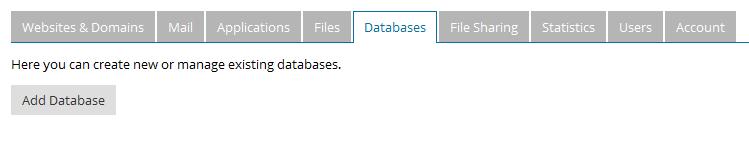
3. Now, Fill the form

In Database server You can select only “localhost:3306(default for MySQL, v5.1.73) for MY SQL Databases “and ” localhost (default for MS SQL, v10.50.4042)” For MS SQL Databases.
In “Related site” Select domain related to database.
4. Now Fill your User details and click Ok.
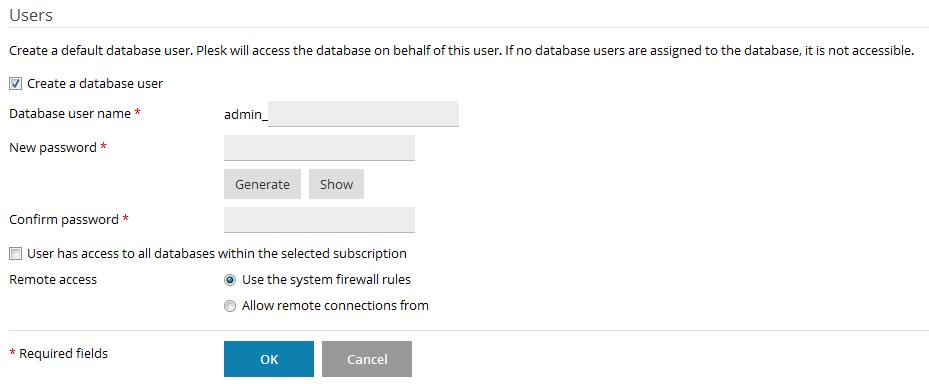
Your database will be created.
Was this answer helpful?
Also Read
-
How to change service plan of your existing subscription in plesk Open or Close
1. Login to Plesk. 2. Click on Change plan/add-ons on the right sidebar. 3. Select the... Read More
-
How to add Email forwarding in plesk Open or Close
1. Login to Plesk. 2. Click on Email addresses in your panel. 3. Select your email... Read More
-
Configure free SSL in Plesk Open or Close
1. Login to Plesk. 2. Click on Hosting Settings. 3. Check the SSL/TLS Support checkbox... Read More
-
Change Default Mail box Size in Plesk Open or Close
1. Login to Reseller Plesk Account. 2. Click on Subscriptions. 3. Select your... Read More
-
How to change ASP version in Plesk Open or Close
1. Login to Plesk. 2. Go to ASP Settings. 3. Click on Change Version. 4. Select your... Read More



