You can create the redirect for your domain in your cPanel. In order to do it, perform the following actions:
1.Log into your cPanel.
2.Navigate to the Domains section and click on the Redirects option: 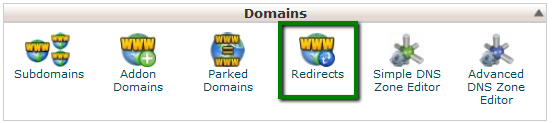
3.Choose the type of redirect you would like to use for your domain:
- Permanent (301) – this redirect will update the visitors' bookmarks and direct search engines to the new site.
- Temporary (302) – it will redirect the visitor or search engine, but will not update the bookmark and the search engine will continue to index to the original page.
NOTE: 301 redirects are permanent. They mean that the page has moved, and they request any search engine or user agent coming to the page to update the URL in their database. This is the most common type of redirect that people should use. If you set up 302 redirects, Google and other sites that determine popularity ratings assume that the link is eventually going to be removed. After all, it's a temporary redirect. So the new page doesn't have any of the link popularity associated with the old page. It has to generate that popularity on its own.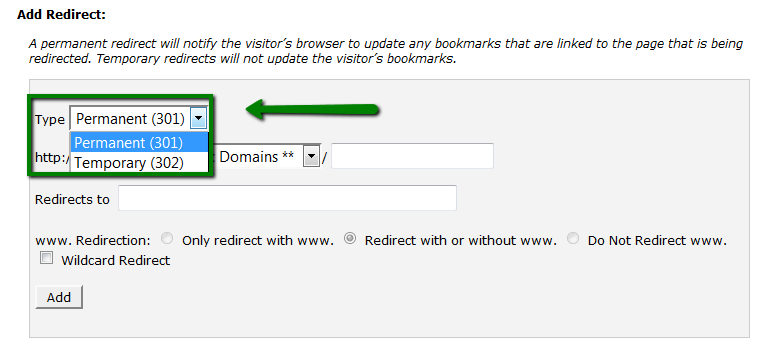
4.From a drop-down menu, choose the domain name you would like to redirect: 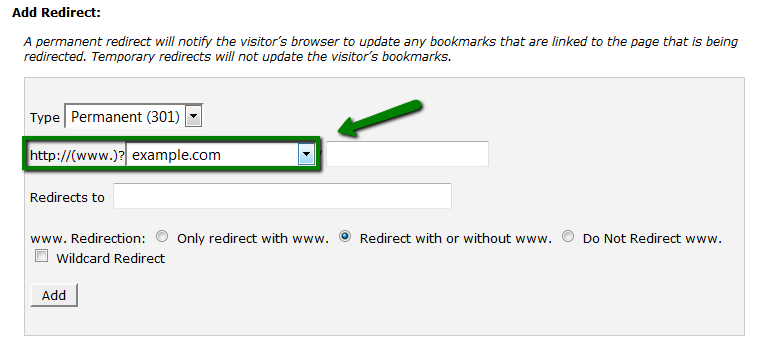
If you want to redirect a single page or directory, you can use the text field following the drop-down menu and enter the name of the folder or file.
5.Enter the full URL of the page your domain will be redirecting to in the Redirects to field.
NOTE: You need to enter the protocol as well, e.g., http://, https:// 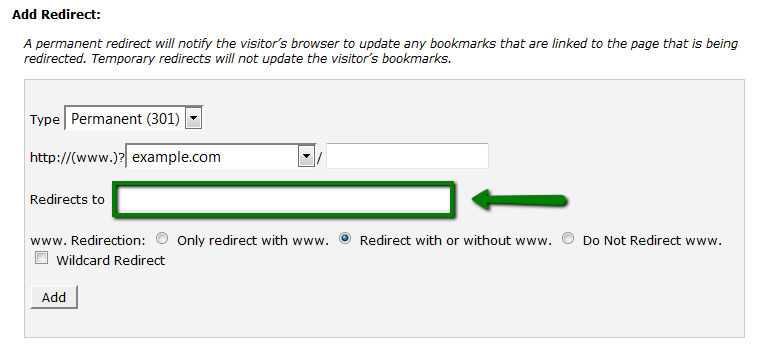
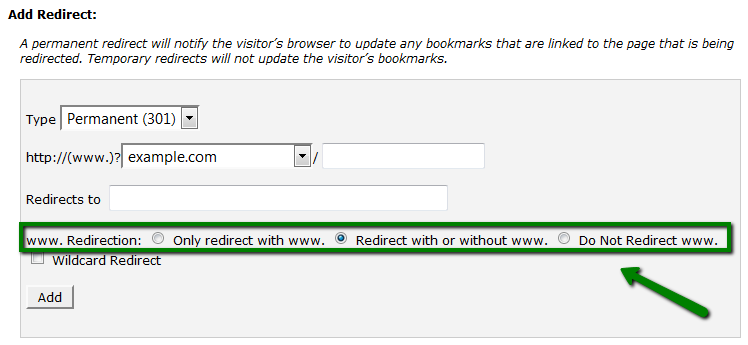
6.Select if you want your domain to redirect with www. or not:
- Only redirect with www.: The redirect will work if only visitors are using www. as a part of the URL.
- Redirect with or without www.: The redirect will work regardless of using www. as a part of the URL or not.
- Do Not Redirect www.: The redirect will not work if visitors are using www. as a part of the URL.
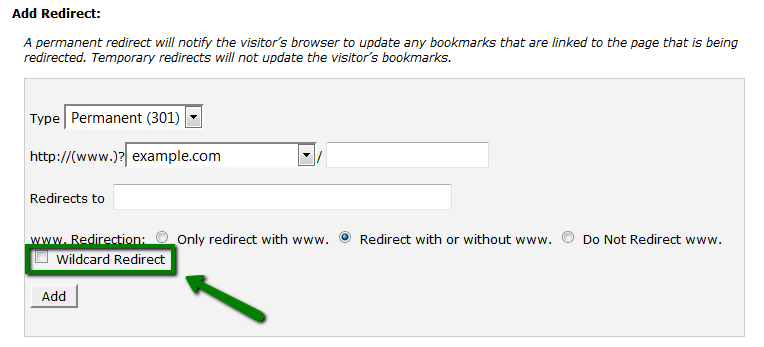
7.Check Wild Card Redirect if you would like all files in the current directory to be redirected to the same files names in the new directory.:
Example: If example.com redirects to example-test.com, then:
- with Wild Card Redirect - example.com/test/ redirects to example-test.com/test/
- without Wild Card Redirect - example.com/test/ redirects to example-test.com
Click on the Add button in order to create the redirect.
This is it!
Was this answer helpful?
Also Read
-
Getting Started with Linux reseller hosting Open or Close
1. Purchasea Linux Reseller Hosting. 2. Login to WHM. You can login to WHM via following URLs.... Read More
-
How can I check my website access logs? Open or Close
Using the Raw Access Logs menu in cPanel, you can check the traffic coming to your website before... Read More
-
How to update MX Recods in cPanel Open or Close
1. Log into your cPanel 2. Navigate to Domains section > Zone Editor menu: 3. Click Manage... Read More
-
Create Email Account in cPanel Open or Close
To create an email account: To create an email account, follow the steps given below:1.... Read More
-
How to create a subdomain in cPanel Open or Close
Subdomains can point to different sections of your website. In order to create a subdomain in... Read More



