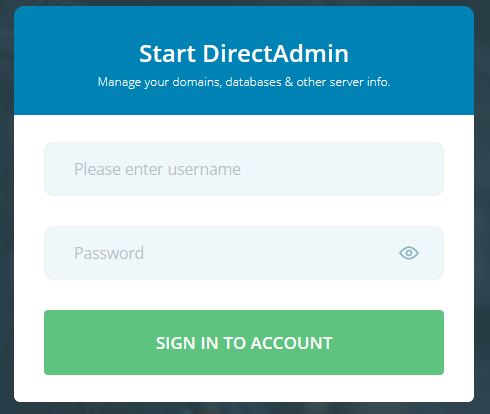
1. Login into your user Direct Admin Panel.
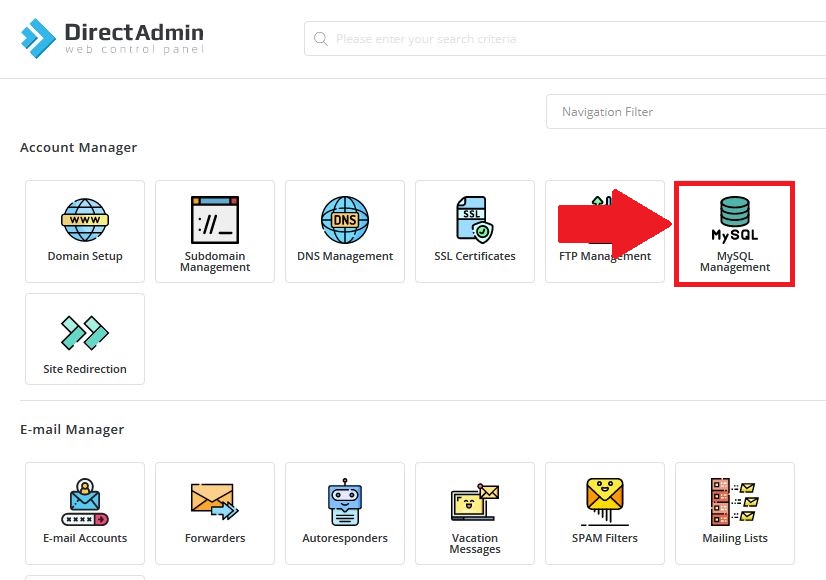
2. In "Account Manager" section, Click on "MySQL Management".
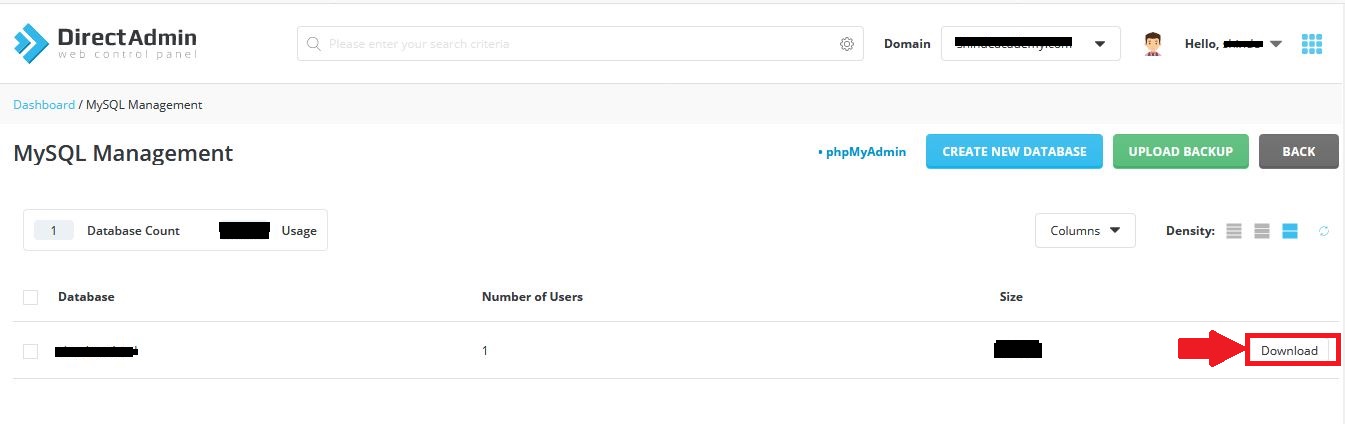
3. Now, list of Database present in user will be shown, Click on "Download" button in front of database to download that particular database.
2. In "Account Manager" section, Click on "MySQL Management".
3. Now, list of Database present in user will be shown, Click on "Download" button in front of database to download that particular database.
Was this answer helpful?
Also Read
-
Changing User Password from Reseller panel in Direct Admin Open or Close
NOTE: Use Hybrid Skin for below Article1. Login to your DirectAdmin Panel.2. In "Account Manager"... Read More
-
How to Install Free (Let's Encrypt) SSL Certificate In Direct Admin Open or Close
1. Login in your User panel.2. In "Account Manger" section, Click on "SSL Certificates".3. If... Read More
-
How to login in phpmyadmin in Direct Admin Open or Close
1. Login in your User Panel2. In "Account Manager" Section, Click on MySQL Managment.3. Now, the... Read More
-
Add email in DirectAdmin user Open or Close
1. Login in your DirectAdmin User.2. In "Email Manager" section click on "E-mail Accounts"3. Now,... Read More
-
Move files or sub-folders from one folder to another Open or Close
1) Login into your Directadmin panel.2) Select "File Manager" in "System Info & Files"... Read More



