NOTE: Use Hybrid Skin for below Article
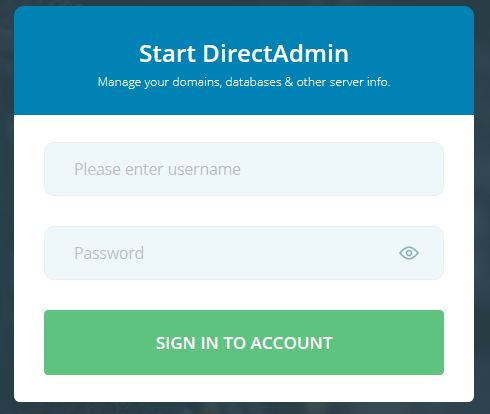
1. Login to your DirectAdmin Panel.
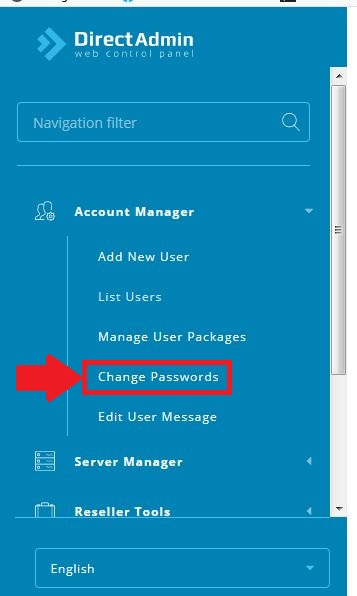
2. In "Account Manager" Section, click on "Change Passwords".
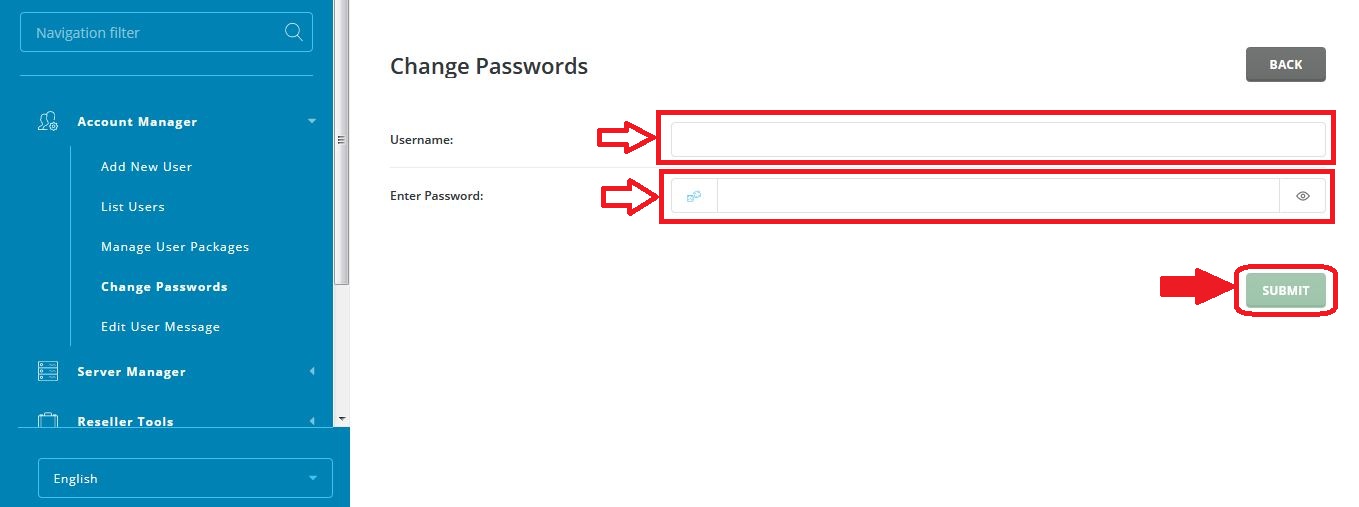
3. A page with form, will appear in which type the username of which you want to change password and your new password. then click on "SUBMIT".
4. That's all you need to change the password.
1. Login to your DirectAdmin Panel.
2. In "Account Manager" Section, click on "Change Passwords".
3. A page with form, will appear in which type the username of which you want to change password and your new password. then click on "SUBMIT".
4. That's all you need to change the password.
Was this answer helpful?
Also Read
-
How to create Backup with ALL IN ONE WP- MIGRATION Open or Close
1. Login into WordPress panel.2. Select "Plugin" option in the Dashboard of WordPress.3. Select... Read More
-
Create FTP accounts in Directadmin Open or Close
1) Login into your "User Panel"2) Select "FTP Management" in "Account Manager" section.3) Click... Read More
-
How to Install Free (Let's Encrypt) SSL Certificate In Direct Admin Open or Close
1. Login in your User panel.2. In "Account Manger" section, Click on "SSL Certificates".3. If... Read More
-
Change password of mysql database in Direct Admin Open or Close
1. Login in your User Panel.2. In "Account Manager" Section, Click on MySQL Management.3. Now,... Read More
-
Add database in Directadmin user Open or Close
1. Login in your DirectAdmin User.2. In "Account Manager" section click on "MySQL Management"3.... Read More



