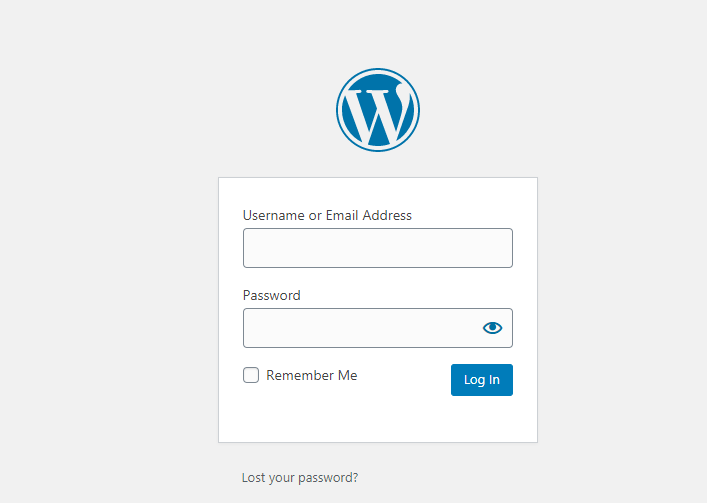
1. Login into WordPress panel.
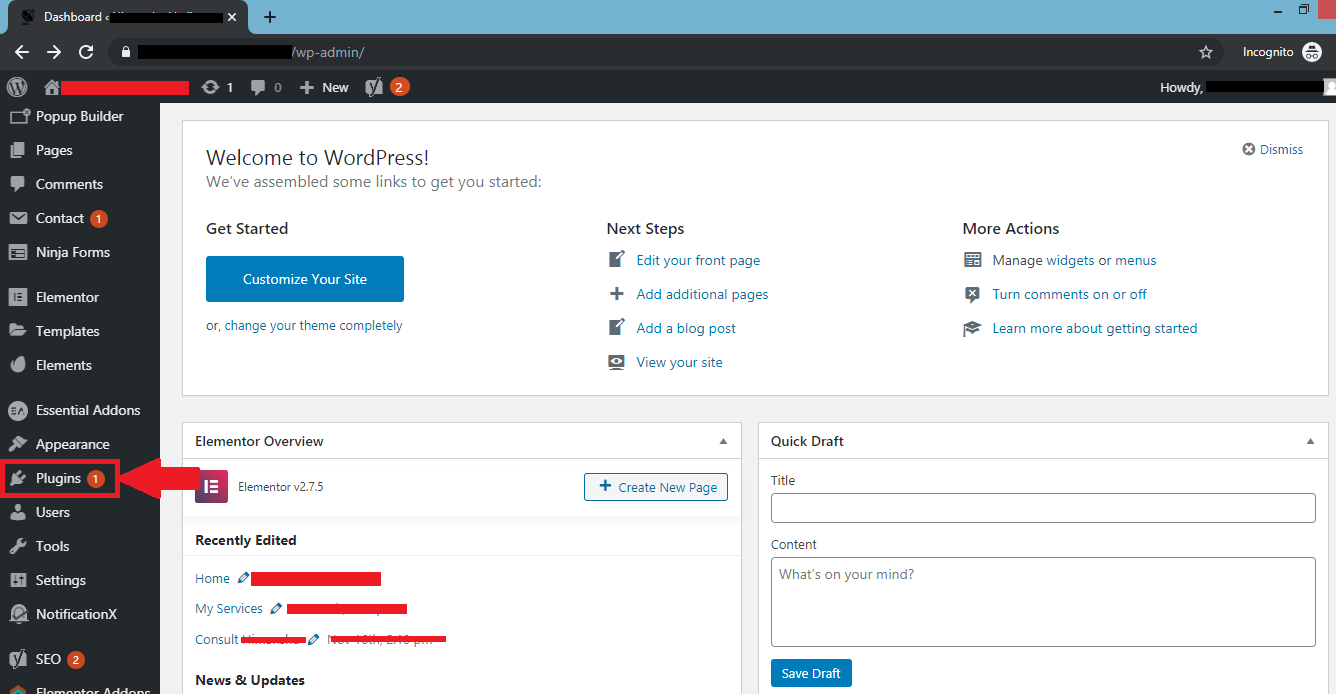
2. Select "Plugin" option in the Dashboard of WordPress.
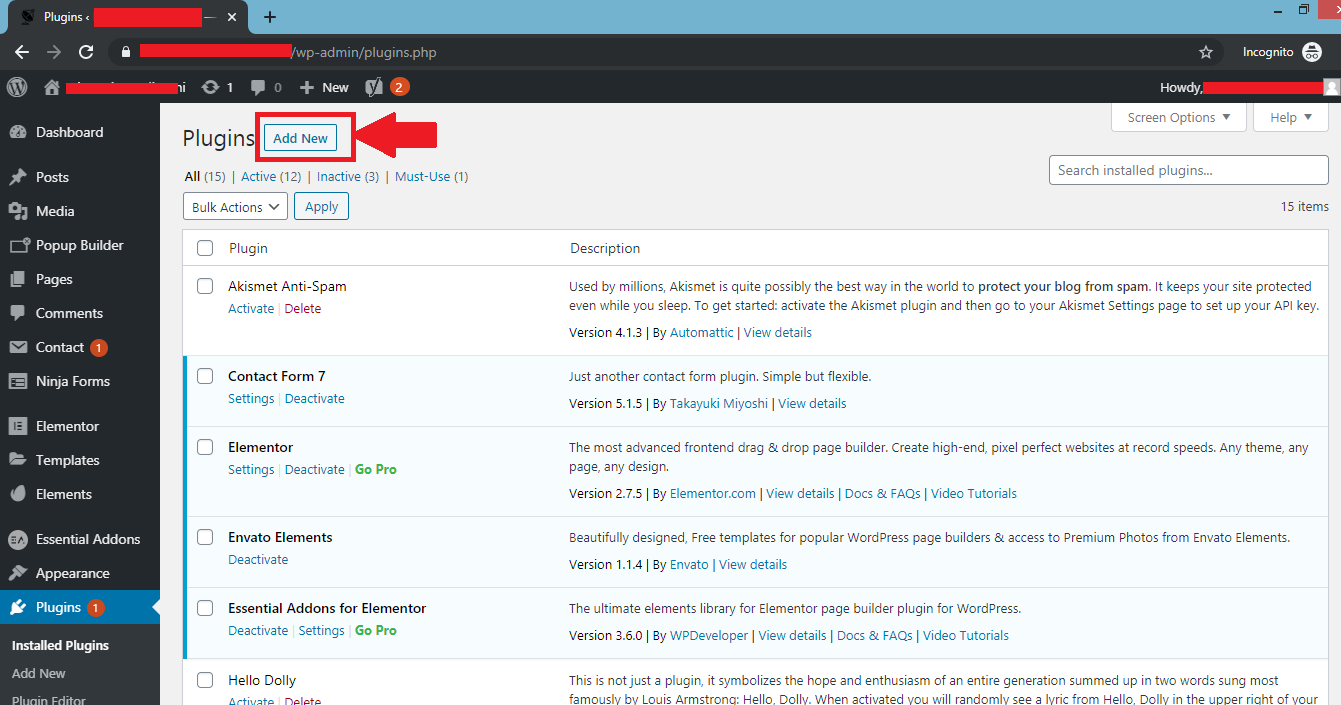
3. Select "Add New" option in "Plugin" section.
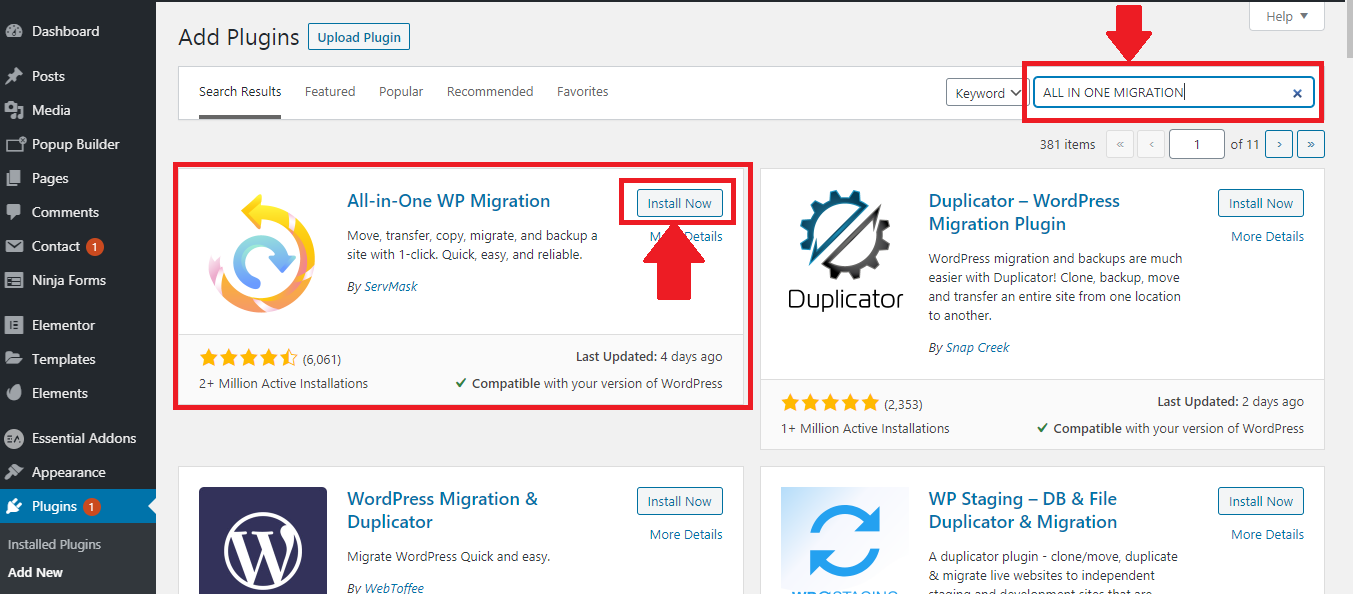
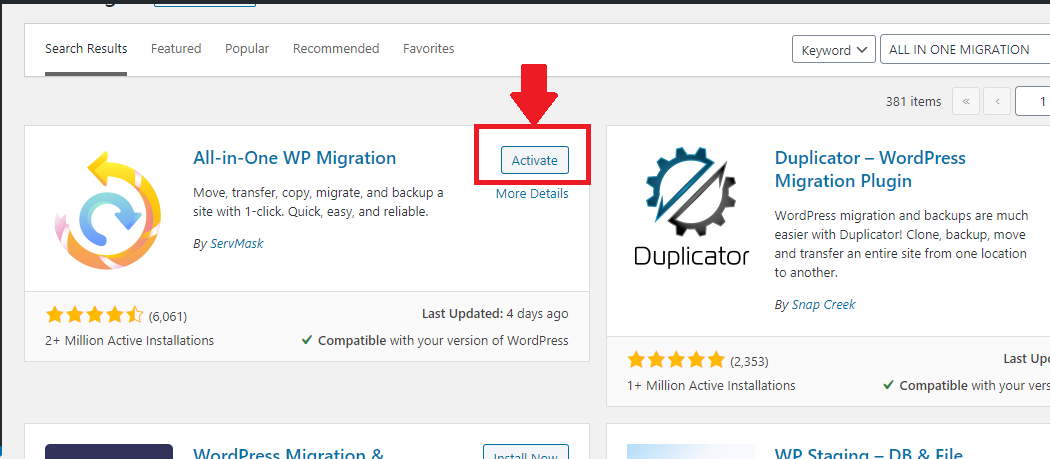
4. Search for "All-in-One-WP Migration" in the search bar and click on "Install Now" option in the plugin.
5. Click on "Activate" option and then All-in-One-WP Migration plugin has been installed.
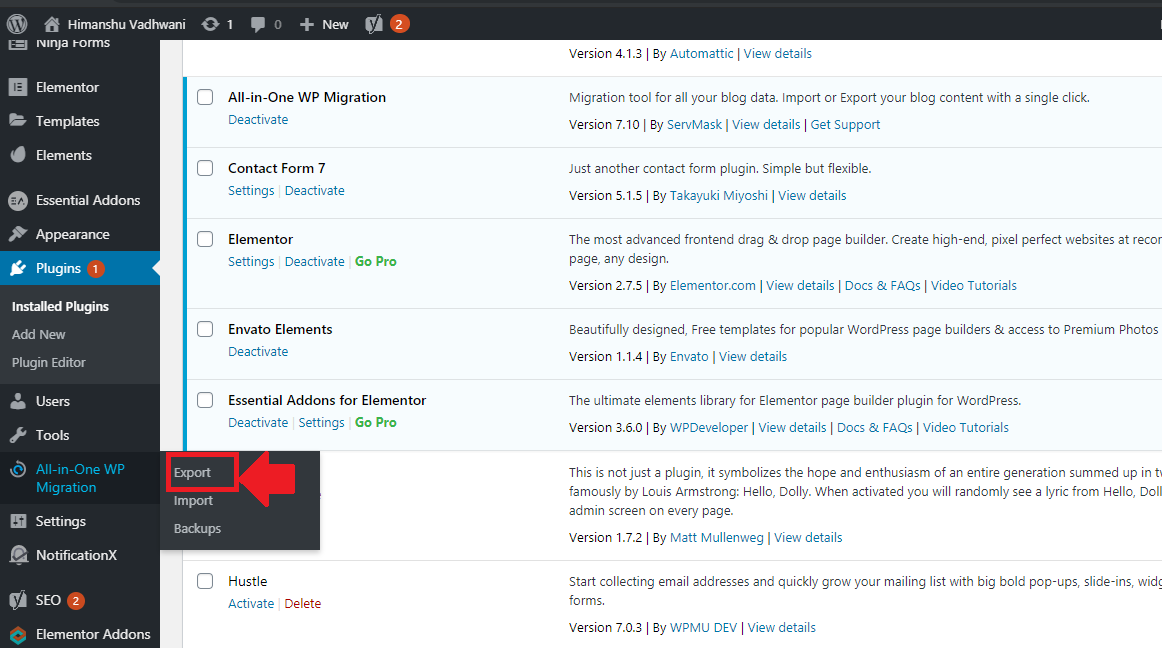
6. Select "All-in-One-WP Migration" and click on "Export".
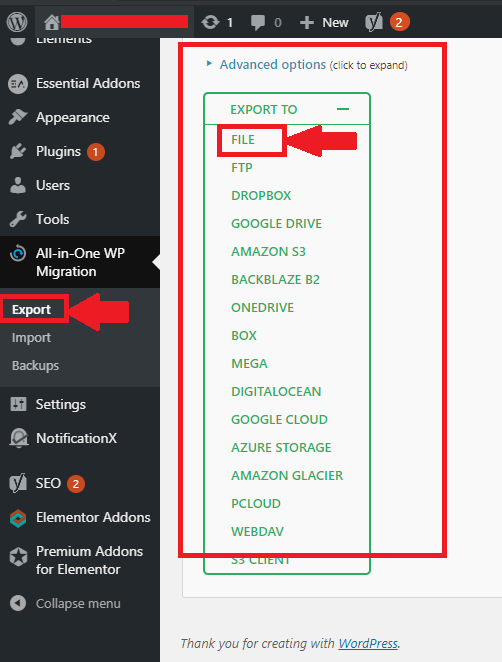
7. Select "FILE" option from multiple menus.
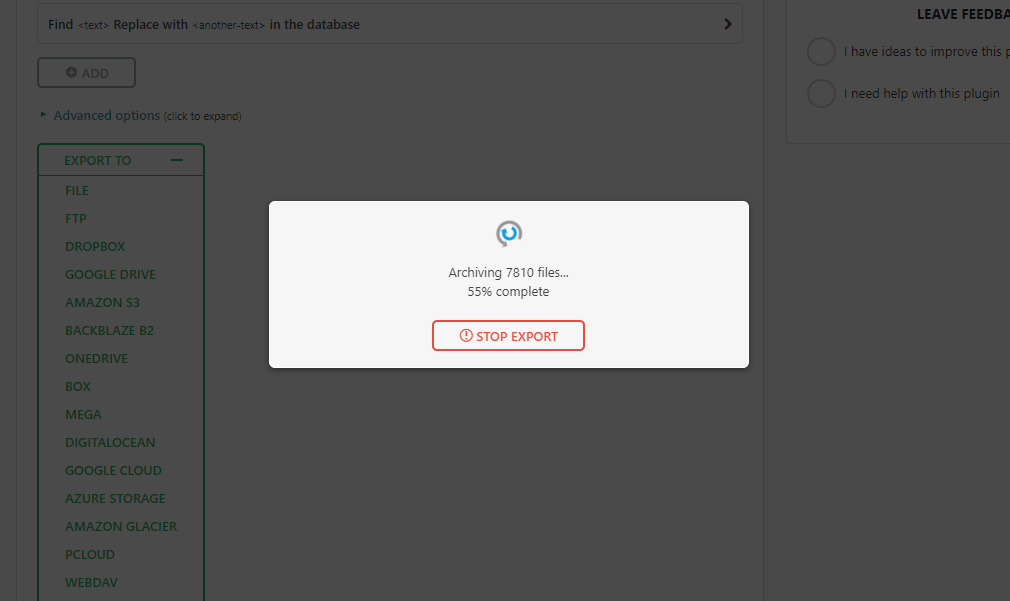
8. Now you can see that the process of Backup will be started.
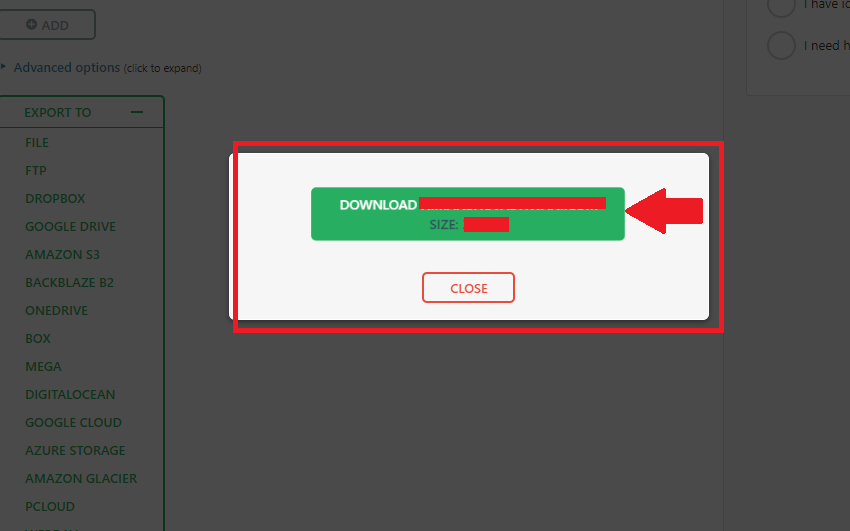
9. Your Backup has been created and now you had to download it only.
2. Select "Plugin" option in the Dashboard of WordPress.
3. Select "Add New" option in "Plugin" section.
4. Search for "All-in-One-WP Migration" in the search bar and click on "Install Now" option in the plugin.
5. Click on "Activate" option and then All-in-One-WP Migration plugin has been installed.
6. Select "All-in-One-WP Migration" and click on "Export".
7. Select "FILE" option from multiple menus.
8. Now you can see that the process of Backup will be started.
9. Your Backup has been created and now you had to download it only.
Was this answer helpful?
Also Read
-
How to add sub domain in directadmin panel Open or Close
1) Login into your User panel.2) Select "Subdomain Management" in "Account Manager" section.3)... Read More
-
Switch PHPversion of website in Directadmin end user VPS Open or Close
1. Login to your Admin Panel2. In "Account Manager" section click on "Domain Setup".3. List of... Read More
-
Switching between Skin/Theme in Direct Admin Open or Close
1. Login in your Directadmin panel.2. Click on right top of your directadmin reseller panel... Read More
-
How to Install Free (Let's Encrypt) SSL Certificate In Direct Admin Open or Close
1. Login in your User panel.2. In "Account Manger" section, Click on "SSL Certificates".3. If... Read More
-
How to reset the password of the user Open or Close
1) Login into your Reseller Account.2) Go to "Change Passwords" in "Account Manager" Section.3)... Read More



