All actions take place in your Plesk Administration Panel.
1. Login in your Panel.
2. Click On Subscription.
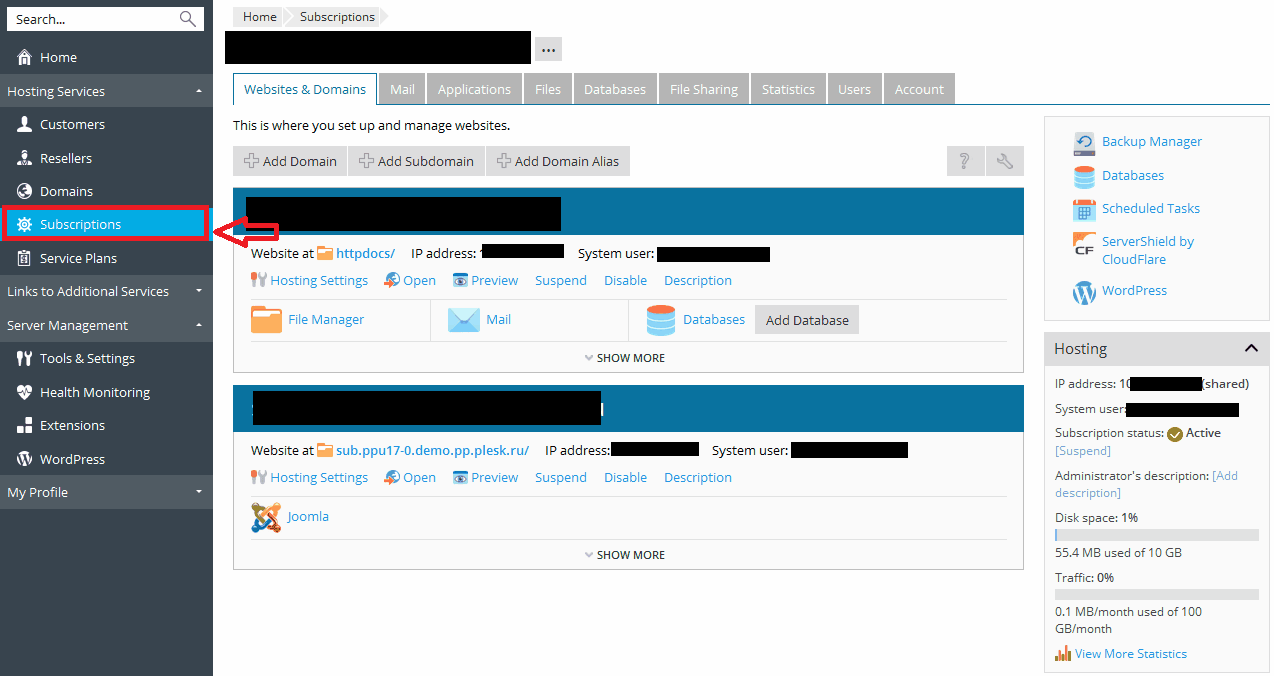
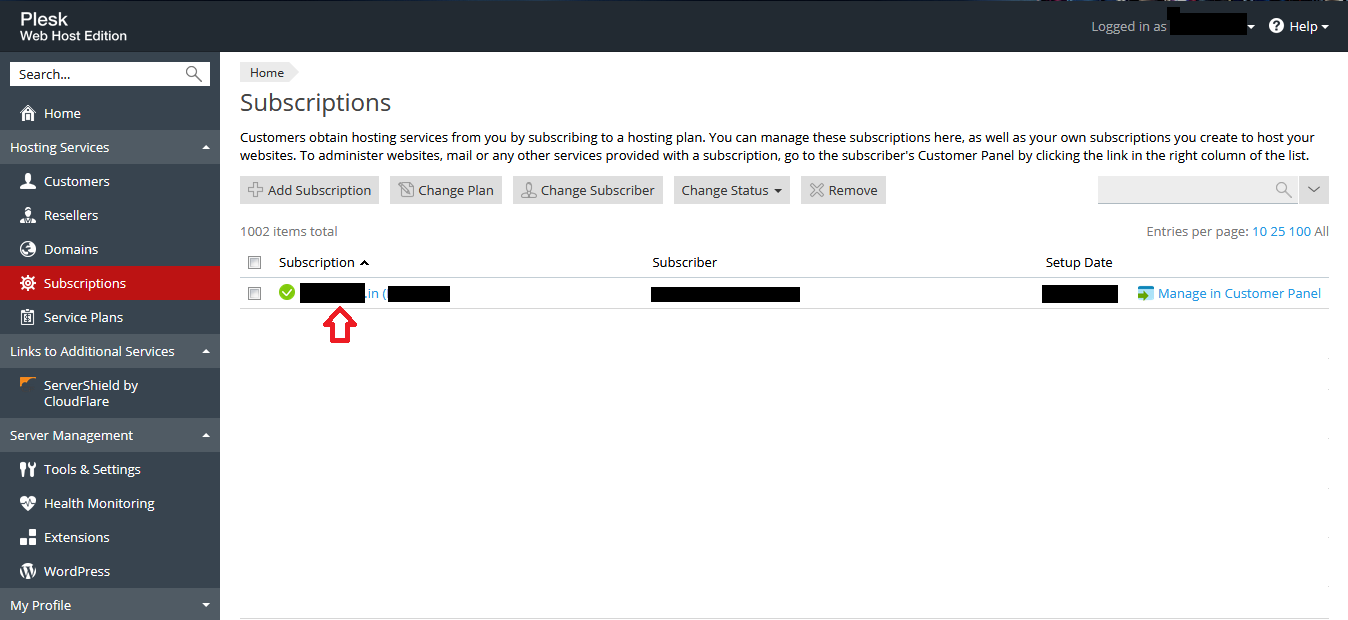
3. In Subscription list, Click on Domain which you want to customize.
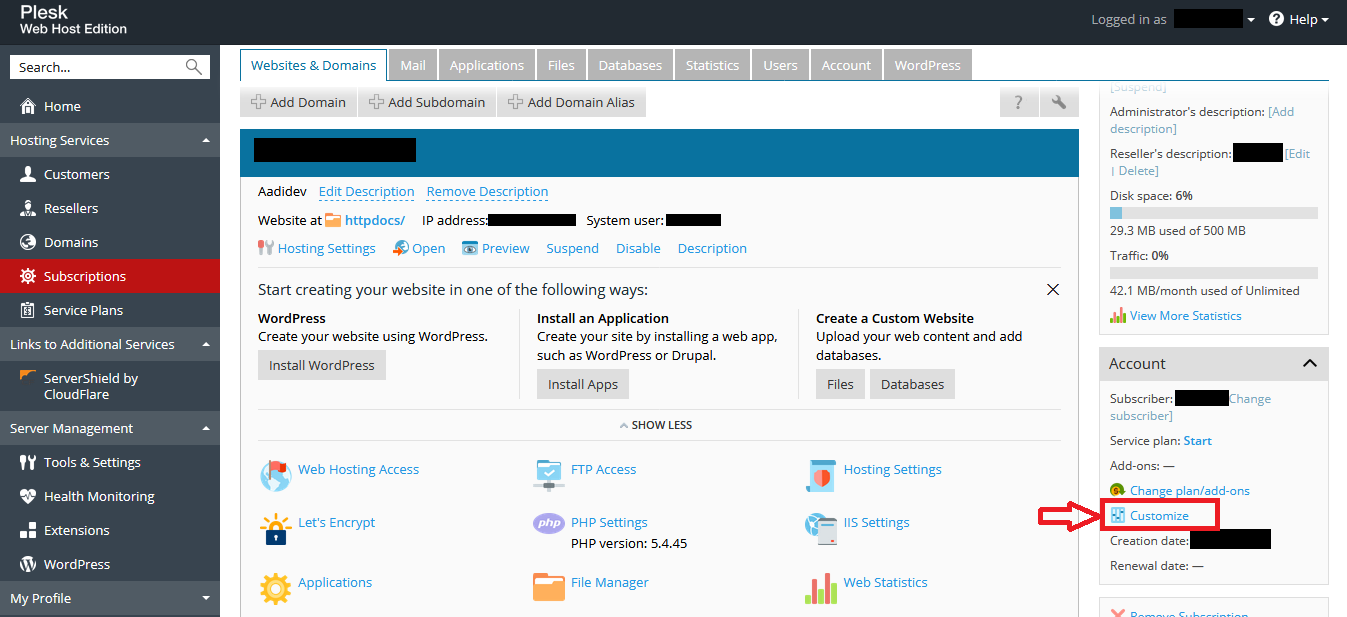
4. In Your Panel, Click on Customize on Right hand side.
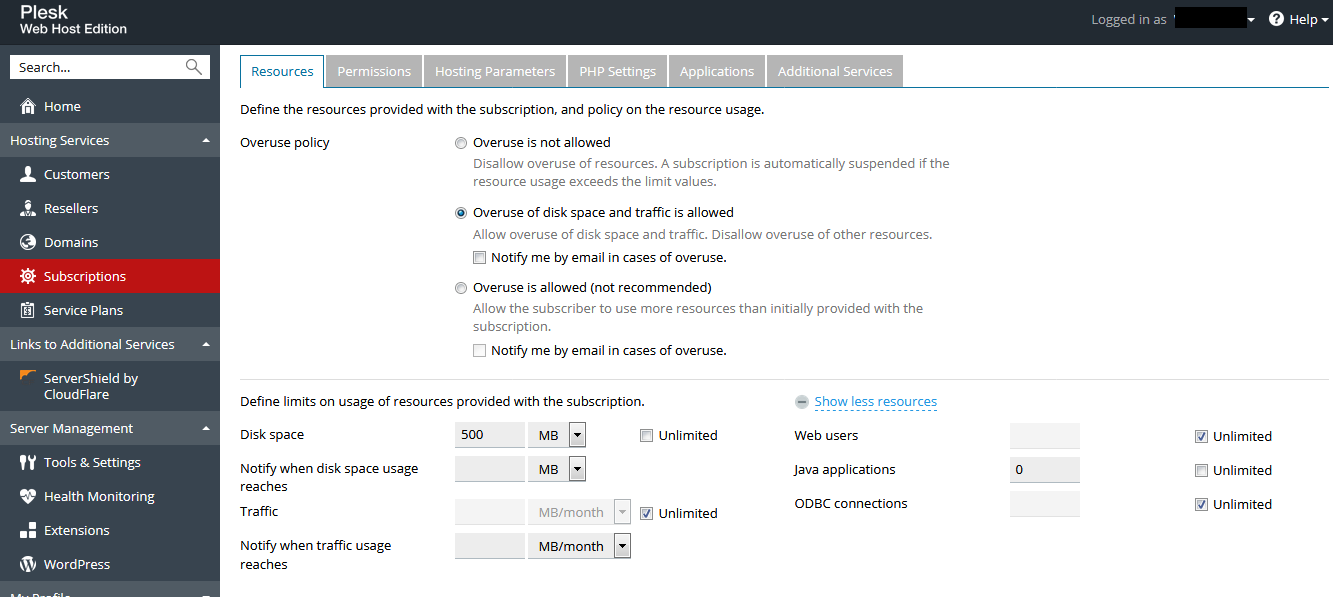
5. Customize your Plan, as per your need.
.
6. Click on "Apply & Lock" Button.
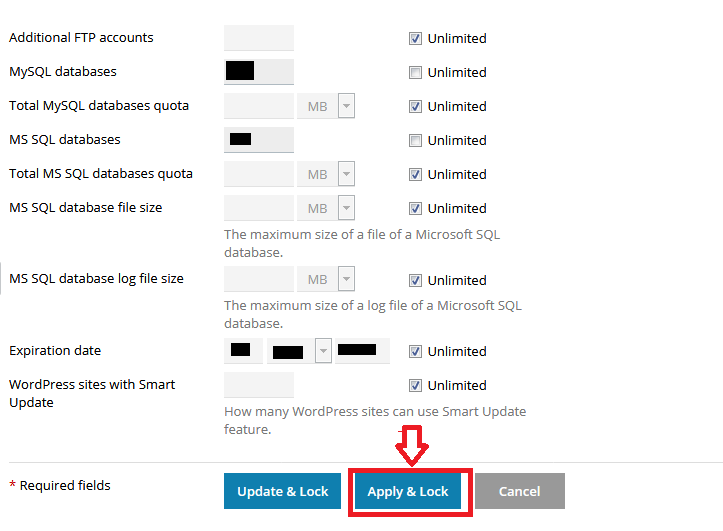
Now Your subscription is updated,as per your need.
1. Login in your Panel.
2. Click On Subscription.
3. In Subscription list, Click on Domain which you want to customize.
4. In Your Panel, Click on Customize on Right hand side.
5. Customize your Plan, as per your need.
.
6. Click on "Apply & Lock" Button.
Now Your subscription is updated,as per your need.
Was this answer helpful?
Also Read
-
Change Permission of folder in Plesk Open or Close
1. Login to Plesk Control Panel. 2. Click on the Websites & Domains tab and navigate to... Read More
-
How to change webmail interface in Plesk Open or Close
1. Login to Plesk. 2. Go to Mail Settings. 3. Under Mail Settings tab, navigate to... Read More
-
Add Subdomains in Plesk Open or Close
Log into the Customer Plesk Panel. 2. Click on Websites & Domains. On this page, you... Read More
-
How to View Full ASP.NET Error Details Using web.config Open or Close
If your application is throwing errors, but you cannot see the full error message, you can... Read More
-
Taking backup of database and restoring it in Plesk Open or Close
Manual database backup in Plesk Login to plesk panel and Go to Websites & Domains >... Read More



