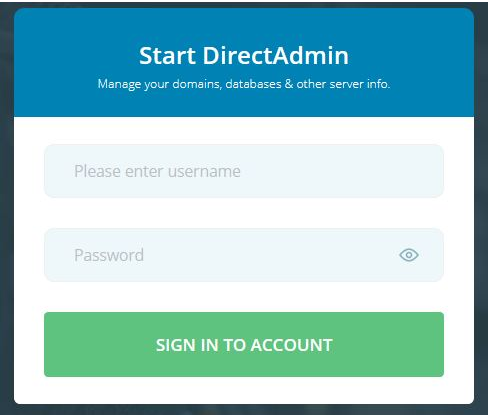
1) Login into your "User Panel"
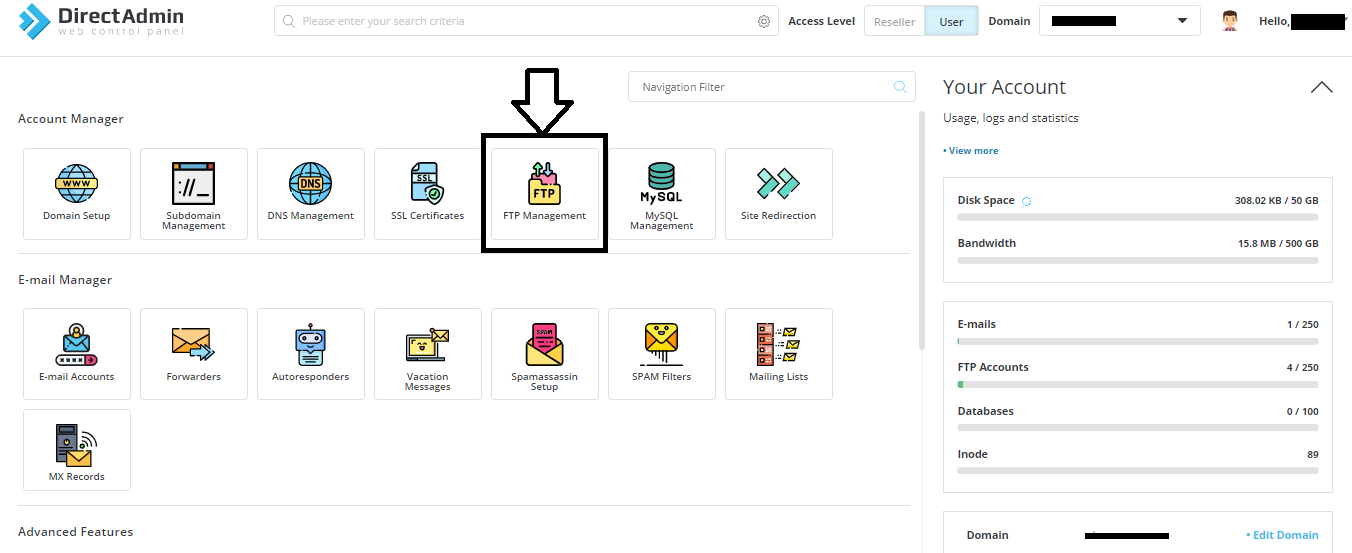
2) Select "FTP Management" in "Account Manager" section.
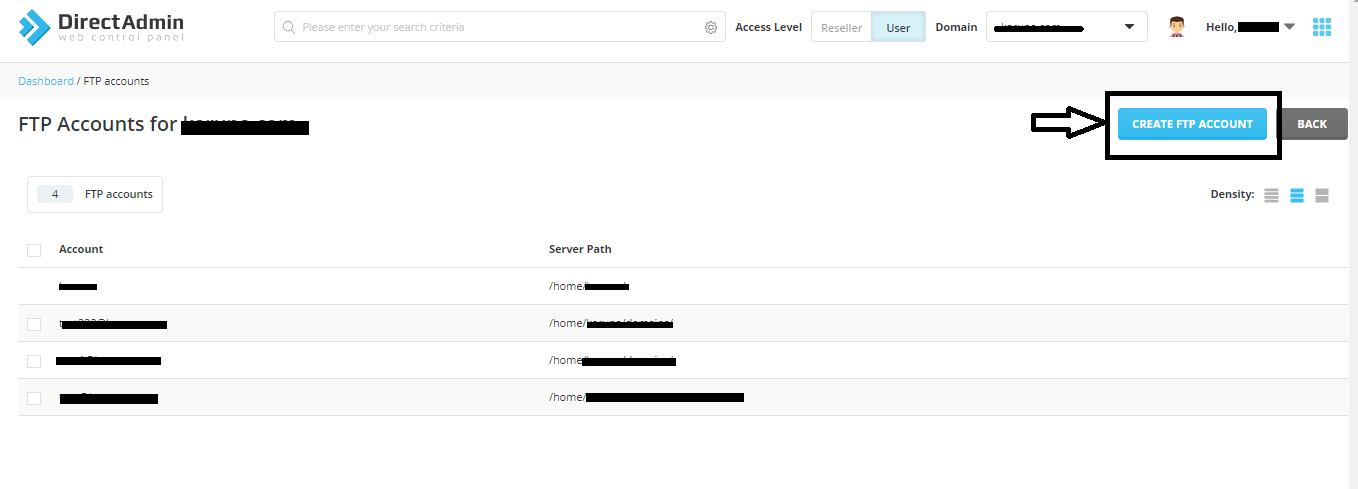
3) Click on "Create FTP Account".
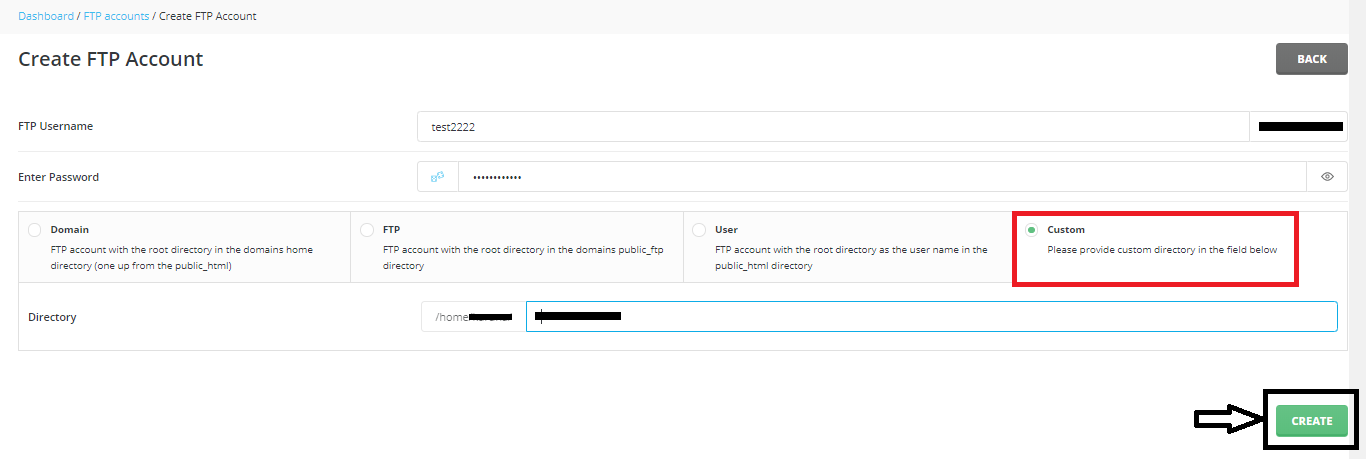
4) Fill the details of FTP username, password and directory in custom option and then click on "Create".
5) You received a successful message that your FTP Account is created.
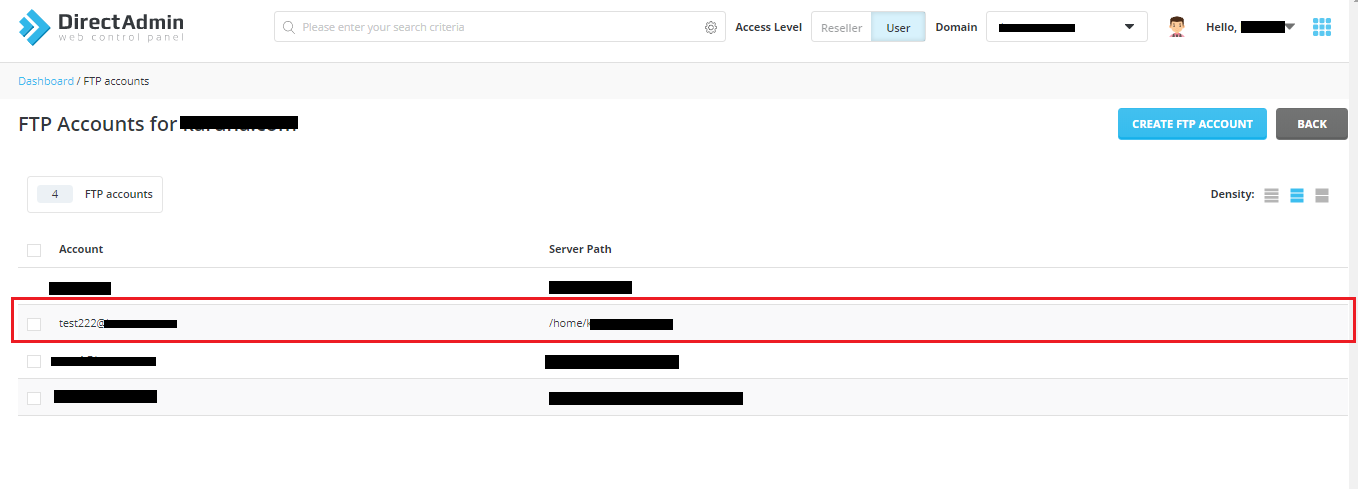
2) Select "FTP Management" in "Account Manager" section.
3) Click on "Create FTP Account".
4) Fill the details of FTP username, password and directory in custom option and then click on "Create".
5) You received a successful message that your FTP Account is created.
Was this answer helpful?
Also Read
-
How to change password of email accounts in Directadmin panel Open or Close
1) Login into your User panel.2) In "E-mail Manager", section click on "E-mail Accounts".3) Click... Read More
-
Add user/control panel in DirectAdmin reseller panel Open or Close
1. Login into your Reseller Panel2. In "Account Manager" section click on "Add New User"3. Fill... Read More
-
Change password of mysql database in Direct Admin Open or Close
1. Login in your User Panel.2. In "Account Manager" Section, Click on MySQL Management.3. Now,... Read More
-
How to install WordPress in DirectAdmin panel Open or Close
1) Login into your User panel.2) Select "Softaculous Auto Installer" in "Extra Features"... Read More
-
Add Domain in DirectAdmin user Open or Close
1. Login in your DirectAdmin User.2. In "Account Manager" section click on "Domain Setup"3. Now,... Read More



